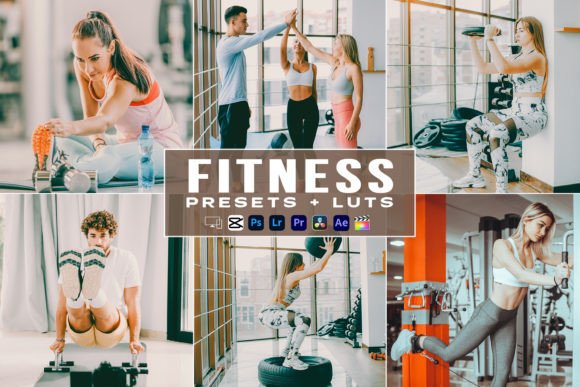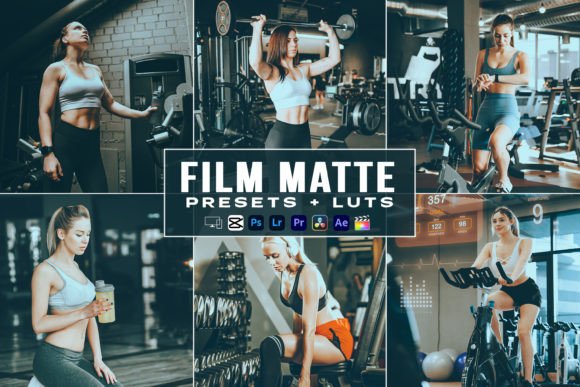
Film Matte Fitness Presets & LUTs for Video
Achieving a cohesive visual identity is one of the most significant challenges for content creators in the fitness and lifestyle space. Whether you are documenting a grueling training session, showcasing gym apparel, or sharing travel vlogs from scenic locations, color grading plays a pivotal role in how your audience perceives your content. The Film Matte Fitness Presets and LUTs collection addresses this need by providing a streamlined workflow for both photographers and videographers. This toolkit is designed to bridge the gap between raw footage and professional-grade aesthetics, allowing you to maintain consistency across Instagram, TikTok, YouTube, and personal portfolios without spending hours tweaking individual sliders.
Defining the Film Matte Aesthetic in Fitness Content
The "Film Matte" look is distinct from standard high-contrast digital processing. It typically features softened highlights, rich but desaturated shadows, and a subtle texture that mimics analog film stock. In the context of fitness and active lifestyle content, this aesthetic serves a specific purpose. It moves away from the overly sharp, hyper-saturated look often associated with commercial sports broadcasting and instead offers a more grounded, cinematic feel. This style is particularly effective for storytelling, as it evokes emotion and nostalgia rather than just displaying technical perfection.
When applied to workout videos or travel photography, these presets help unify disparate lighting conditions. Gym lighting is notoriously difficult, often mixing fluorescent overheads with natural window light. Outdoor shoots vary wildly depending on the time of day. By applying a consistent base grade through these DNG and XMP files, you create a recognizable brand signature. Your audience begins to associate that specific tonal quality with your content, which is essential for building trust and recognition as an influencer or educator.
Cross-Platform Compatibility for Modern Creators
One of the primary advantages of this pack is its versatility across devices and software ecosystems. Modern creators rarely work within a single application. You might capture B-roll on a smartphone, edit main sequences on a desktop, and perform quick adjustments for social stories on a tablet. This collection acknowledges that hybrid workflow by including specific file formats for every stage of production.
- DNG Files for Mobile: These are essential for editing on the go using the free Lightroom Mobile app. They allow you to apply complex color grades directly to photos and video thumbnails captured on your phone, ensuring your Instagram grid looks polished before you even open a desktop computer.
- XMP Files for Desktop: Designed for Adobe Lightroom Classic and Photoshop CC (Camera Raw), these files integrate seamlessly into professional batch-processing workflows. If you are delivering a gallery of images from a fitness retreat or a brand shoot, XMP presets allow you to grade hundreds of images in minutes while retaining the ability to fine-tune individual parameters.
- Video LUTs (.cube): Color grading video requires a different approach than still photography. The included LUTs are compatible with industry-standard software including Premiere Pro, DaVinci Resolve, Final Cut Pro, and After Effects. Crucially, they also work with accessible mobile editors like VN Video Editor and LumaFusion, making high-end color grading accessible regardless of your hardware.
Practical Applications for Different Creator Goals
Understanding how to adapt these tools to your specific niche is key to maximizing their value. The Film Matte Fitness Presets and LUTs are not merely filters; they are starting points for creative direction. Here is how different users can leverage this pack effectively.
For Travel Vloggers and Lifestyle Influencers
Travel content thrives on atmosphere. When documenting outdoor workouts, hiking trips, or wellness retreats, the goal is to transport the viewer. Use the video LUTs to establish a mood that complements the environment. For example, if you are filming in a lush forest, the matte profile helps tame the overwhelming greens of foliage, creating a softer, more dreamlike quality that feels intentional rather than accidental. Pair this with the matching photo presets for your blog headers and social media teasers to ensure the video and written content feel like parts of the same narrative.
For Fitness Educators and Coaches
Clarity is paramount when teaching form or explaining nutrition. While the Film Matte aesthetic adds style, it should never obscure the educational value of your video. When using these LUTs for instructional content, consider adjusting the opacity or intensity. A 70% application might provide the desired cinematic tone while keeping skin tones natural and movement details crisp. Consistency here signals professionalism; when your course materials or tutorial reels share a unified look, students perceive higher production value and authority.
For Brand Partnerships and Sponsored Content
If you are working with apparel brands or supplement companies, maintaining your unique visual style while accurately representing the product is a delicate balance. These presets offer a neutral enough foundation that they enhance rather than distort product colors. However, always check skin tones and brand-specific colors after applying any preset. The included help file provides guidance on making these micro-adjustments, ensuring that the sponsored content integrates naturally into your existing feed without looking like a jarring advertisement.
Technical Workflow and File Management
To get the most out of this pack, organization is just as important as creativity. The package includes three distinct variations for both photo and video, plus dedicated Camera Raw presets for Photoshop users. Developing a system for these assets prevents workflow bottlenecks.
- Test Before Committing: Apply all three LUT variations to a short clip of test footage in your typical shooting environment. Each variation likely targets different lighting scenarios or moods. Identify which serves as your best "base" grade and which works better as a stylistic overlay.
- Create Custom Derivatives: Once you find a preset that works well for your specific camera sensor, save a modified version as your own custom preset. Cameras interpret color differently; a tweak to white balance or saturation tailored to your gear will yield better results than relying solely on the universal setting.
- Batch Processing Efficiency: In Lightroom Desktop, use the sync settings feature to apply your chosen Film Matte preset across an entire shoot. Then, cull and refine individually. This reverse workflow—grade first, select second—can sometimes help you see the potential in images that look flat in their raw state.
- Mobile-to-Desktop Sync: If you edit on both platforms, utilize cloud syncing to keep your DNG and XMP presets updated across devices. This ensures that the quick edit you do on your phone matches the detailed work you do at your desk.
Maintaining Authenticity in Color Grading
While presets accelerate production, over-reliance can lead to generic content. The most successful creators use tools like the Film Matte Fitness Presets and LUTs as a foundation, not a finish line. Always evaluate the emotional resonance of the grade against the content's message. Does the muted tone support the intensity of a heavy lift, or does it diminish it? Does the warm matte glow enhance the serenity of a yoga flow, or make it look artificially aged?
Remember that technical consistency supports creative expression, but it should not replace it. Use the help file included in the pack to understand the mechanics behind the adjustments. Knowing why a curve was shaped a certain way or why saturation was reduced allows you to troubleshoot when a preset doesn't quite fit a specific scene. Ultimately, these tools are designed to handle the repetitive technical aspects of color grading so you can focus your energy on composition, storytelling, and connecting with your audience. By integrating these assets thoughtfully into your workflow, you elevate the perceived quality of your work while reclaiming time to innovate and create.