Y2K Era Nostalgia: Integrating Retro Tech Aesthetics into Modern Creative Workflows
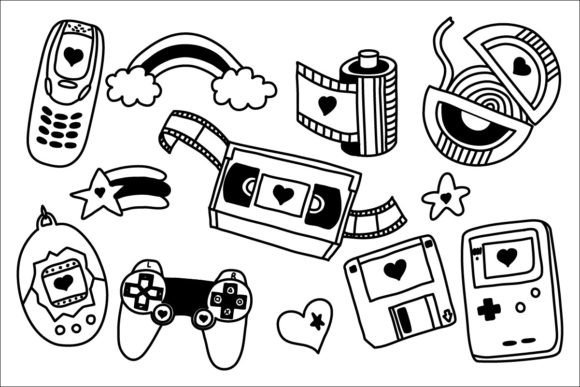
Y2K era nostalgia has evolved from a fleeting internet trend into a stable design language that communicates authenticity, playfulness, and digital heritage. For professionals, marketers, and creators, this aesthetic is no longer just about referencing the past; it is a strategic tool for engaging audiences who value tactile memories in an increasingly sterile digital landscape. The specific collection of black and white hand-drawn doodles featuring iconic technology—flip phones, portable music players, and classic game controllers—offers a versatile asset library that bridges generational gaps. When integrated correctly, these elements serve as visual anchors that soften corporate messaging, enhance educational materials, and add personality to commercial projects without sacrificing professional clarity.
Defining the Asset Library and Technical Specifications
Before incorporating Y2K era nostalgia into a production pipeline, it is essential to understand the technical composition of the available assets. This specific collection is structured for cross-platform compatibility, ensuring that designers and non-designers alike can utilize the files regardless of their software ecosystem. The package includes 13 EPS files and 12 SVG files, which are critical for scalable vector work. These formats allow for infinite resizing without pixelation, making them ideal for everything from business cards to large-format event signage. The inclusion of 12 JPEG and 12 PNG files at 2084 x 2084 pixels provides high-resolution raster options for quick mockups, social media content, or presentations where vector editing is unnecessary.
The hand-drawn nature of these doodles distinguishes them from standard clip art. The imperfections in the line work of the flip phone or the whimsical curve of the rainbow introduce a human element that polished, AI-generated, or rigid geometric vectors often lack. This organic quality is central to the effectiveness of Y2K era nostalgia in modern design. It signals that a human created the content, fostering trust and relatability. Understanding this distinction helps professionals select the right file type for the right context; use the SVG for brand identity systems requiring precision, and leverage the PNG for rapid content creation where texture and immediate visual impact take precedence.
Strategic Application Across Project Phases
Integrating retro tech aesthetics requires intentional placement rather than random decoration. The utility of these assets shifts depending on whether you are in the planning, execution, or post-production phase of a project.
Pre-Production and Concept Development
During the brainstorming and mood boarding stages, Y2K era nostalgia serves as a tonal guide. Using the black and white doodles in early pitch decks or internal strategy documents can help stakeholders visualize the intended emotional resonance before full-color production begins. Because these assets are monochromatic, they do not compete with color palettes still under review. They function as structural placeholders that communicate "playful," "retro," or "tech-forward" vibes instantly. For educators and workshop facilitators, using these symbols in preliminary outlines helps set expectations for an interactive, low-stakes learning environment.
Execution and Content Creation
In the active design phase, these doodles interact directly with typography and layout grids. The classic game controller and portable music player icons work effectively as bullet points, section dividers, or margin annotations in long-form content. For bloggers and publishers, breaking up dense text with a hand-drawn star or heart improves readability and retention rates by providing visual rest points. Marketers can overlay these transparent PNGs onto product photography or user-generated content to create a mixed-media collage effect that feels native to social platforms like Instagram and TikTok. The key during execution is consistency; establish rules for stroke weight and scale so the doodles feel like part of a cohesive system rather than afterthoughts.
Post-Production and Repurposing
After a primary campaign launches, Y2K era nostalgia assets extend the lifecycle of content. A serious white paper can be repurposed into an approachable LinkedIn carousel by adding whimsical rainbows and tech icons to highlight key statistics. Freelancers and small business owners can use these elements to create reusable templates for client deliverables, invoices, or thank-you notes, adding a signature touch that differentiates their services. The vector formats ensure that these assets remain usable across future rebrands or platform updates, protecting the initial investment in the asset library.
Workflow Integration and Software Compatibility
Efficiency depends on how smoothly these assets integrate into existing tools. The multi-format delivery ensures compatibility across the industry-standard creative suite and accessible consumer applications.
- Adobe Illustrator and Affinity Designer: Utilize the EPS and SVG files for logo lockups, packaging design, and print collateral. These programs allow you to modify anchor points, adjust stroke widths, and recolor the black lines to match specific brand guidelines while retaining the hand-drawn texture.
- Figma and Sketch: Import SVGs directly into UI/UX projects. These doodles are excellent for empty states, onboarding screens, or gamification elements within apps targeting millennials and Gen Z. The vector format keeps file sizes low, preserving performance metrics.
- Canva and Microsoft Office: Leverage the high-resolution PNG and JPEG files for non-designer workflows. Team members creating internal newsletters, slide decks, or social posts can drag and drop these assets without needing advanced training. The 2084 px resolution ensures they remain crisp on Retina displays and printed handouts.
- Video Editing Software: Use the transparent PNGs as overlays in Premiere Pro or CapCut. Animating the stars or hearts with simple keyframes adds dynamic motion to static video content, reinforcing the Y2K era nostalgia theme through movement.
Organizational Best Practices for Digital Assets
To maximize long-term usability, proper organization of the ZIP file contents is necessary upon download. Do not leave assets buried in a generic "Downloads" folder. Create a dedicated directory structure within your team’s digital asset management (DAM) system or cloud storage. Suggested categorization includes separating vectors from rasters and tagging files by subject matter (e.g., "audio," "gaming," "communication," "decorative").
Naming conventions should be standardized immediately. Rename generic files to descriptive identifiers such as y2k-flip-phone-bw.svg or doodle-rainbow-star-2084.png. This reduces search time and prevents version control errors when multiple team members access the library. For agencies managing multiple clients, consider creating a master "Retro Texture" kit that combines these Y2K doodles with complementary fonts and color swatches. This pre-packaged workflow accelerator ensures that when a nostalgic brief arrives, the foundational elements are already curated and ready for deployment.
Balancing Nostalgia with Professional Standards
While Y2K era nostalgia evokes strong emotions, professional application requires restraint and contextual awareness. The hand-drawn style inherently suggests informality, which may not suit every communication objective. When working with corporate clients or sensitive topics, use these symbols as accents rather than the primary visual driver. A single, well-placed portable music player icon can suggest innovation and history without undermining the seriousness of financial data or legal disclaimers.
Quality control involves checking contrast ratios and accessibility standards. Black and white doodles generally offer excellent contrast, but when recolored or placed over complex backgrounds, ensure they remain legible for users with visual impairments. Test the assets across different devices and print proofs to verify that the hand-drawn lines do not disappear or become muddy at smaller scales. Consistency in line weight is also crucial; mixing these specific doodles with other illustration styles can create visual dissonance. If additional custom illustrations are needed, trace over the provided assets or hire an illustrator to mimic the specific stroke characteristics to maintain a unified visual language.
Enhancing Engagement Through Visual Storytelling
Ultimately, the value of this collection lies in its ability to facilitate storytelling. Each object carries embedded cultural meaning. The flip phone represents a time of focused communication before constant connectivity; the portable music player symbolizes curated personal identity; the game controller evokes shared leisure and problem-solving. By selecting specific symbols that align with your narrative, you move beyond generic retro styling into meaningful communication.
For entrepreneurs launching products aimed at the 20–50 demographic, these visuals act as shorthand for shared experiences. They reduce cognitive load by leveraging familiar iconography to explain new concepts. A cybersecurity firm might use the classic game controller to illustrate "defense strategies," making a complex topic feel accessible. An educator might use the flip phone to discuss the evolution of social etiquette. The playful stars, hearts, and rainbows serve as emotional punctuation, softening transitions and rewarding engagement. When treated as functional components of a broader communication strategy rather than mere decoration, Y2K era nostalgia becomes a powerful mechanism for connection, clarity, and creative differentiation in a crowded marketplace.